March Madness bracket challenge
PRODUCT DESIGN
ART DIRECTION
Overview
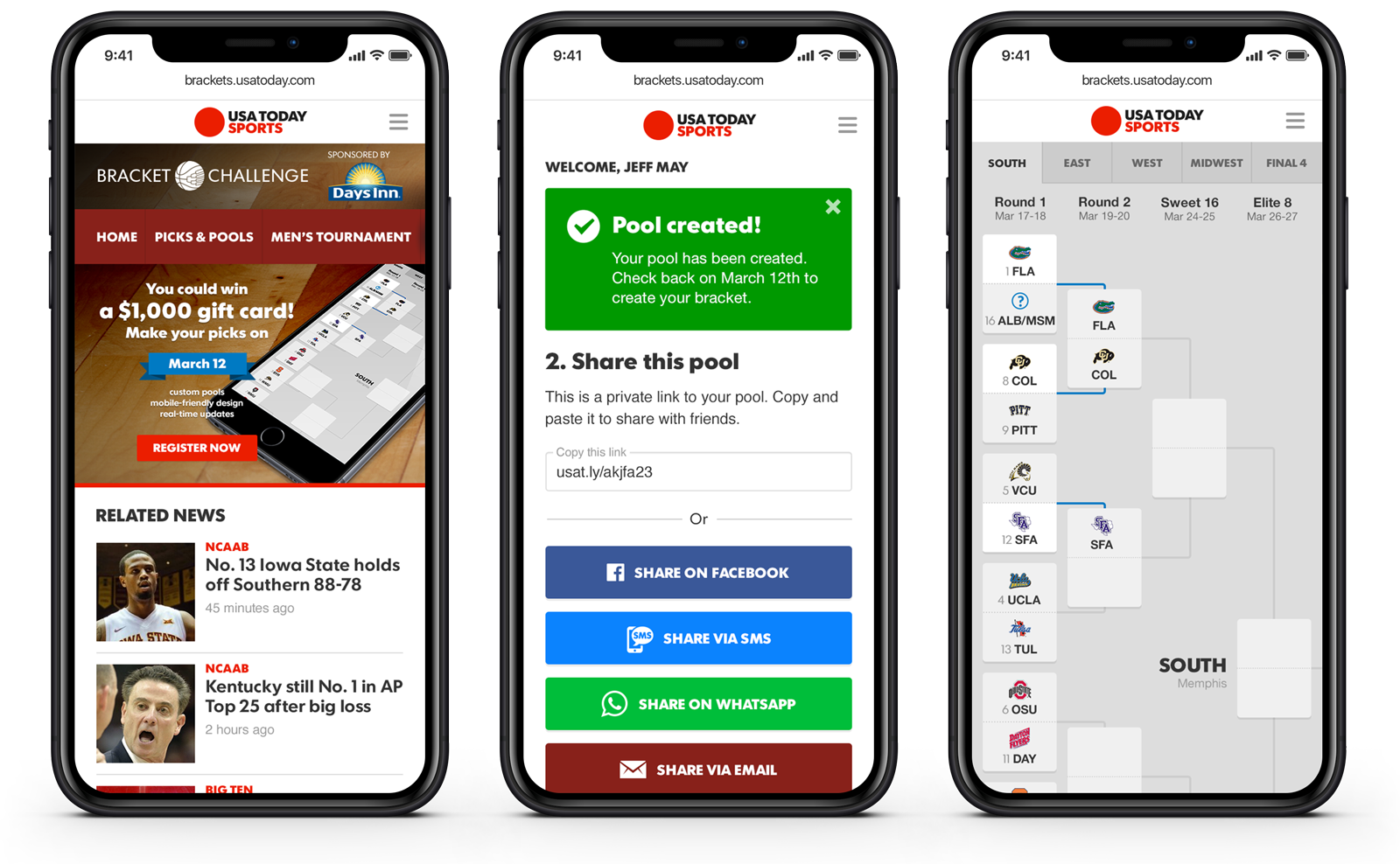
USA Today premiered a new interactive March Madness challenge in 2022, with a mobile-first playable bracket. Users are encouraged to sign in and create private pools with friends. Creating a bracket is easy and it's a great way to keep up with March Madness, as your bracket links directly to matchup coverage.
Goal
Working with a team of product designers, we identified several requirements for different types of users looking to participate in the bracket challenge. This would inform a thoughtful and detailed flow for the UI of what the user experience would look like during the different lifecycles of this annual event.
Responsibilities
• UX flow
• Design specs
• Art direction
• VQA
User flow
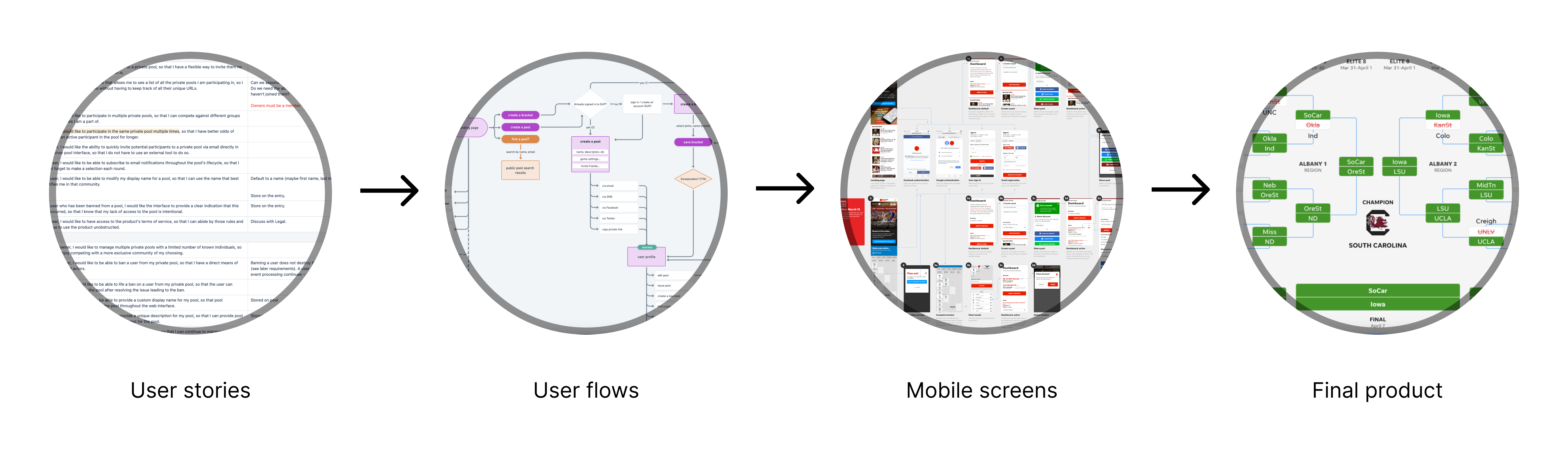
Documenting the complex user journeys throughout the experience from the four unique phases of this product's annual life cycle.
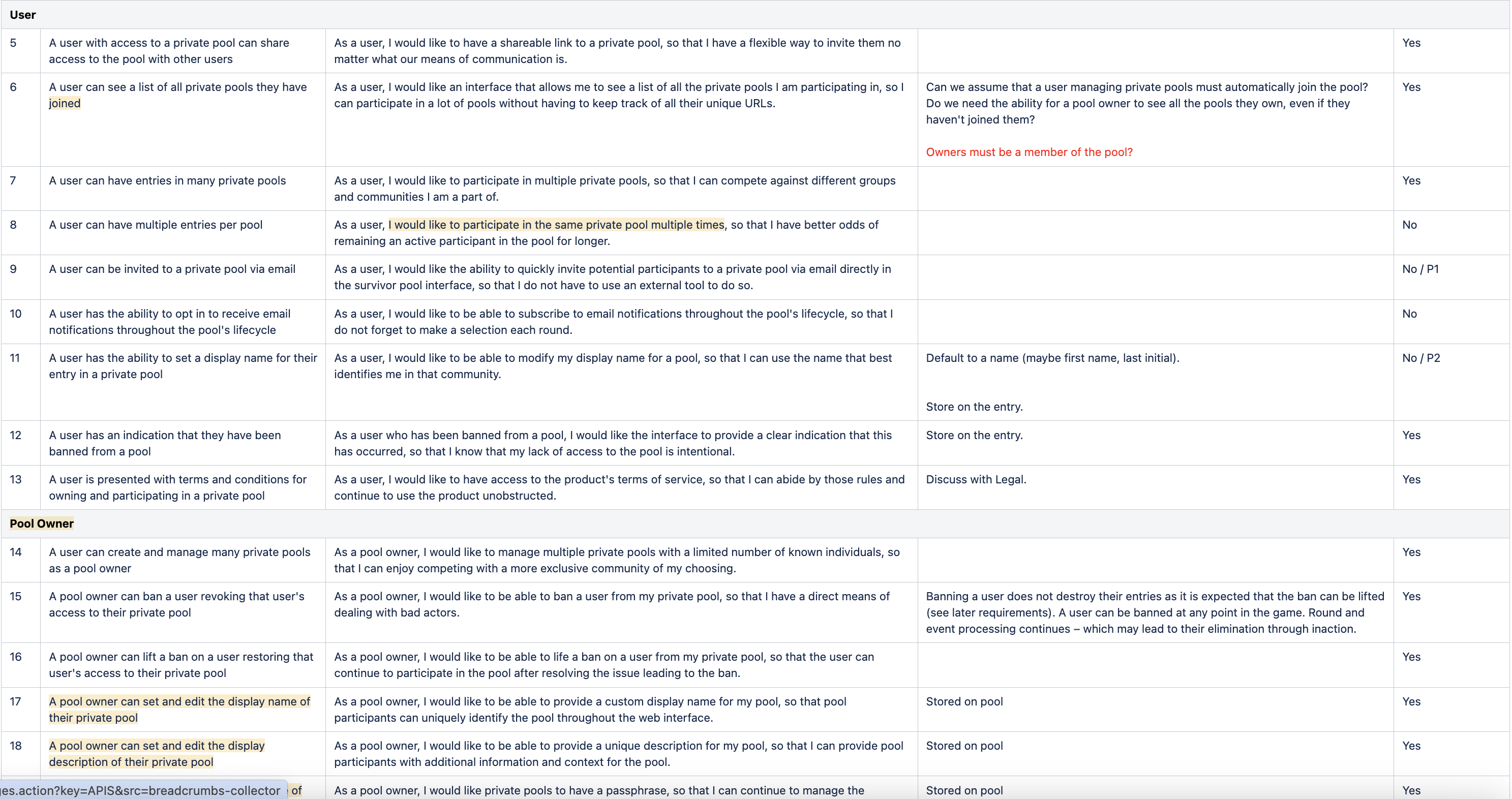
Early on in the project, stakeholders defined requirements and user stories for every type of person participating in the bracket challenge:
The pool creator. They can browse and join public pools, or create smaller private pools and invite friends by sharing a link and a passphrase.
The pool member. A user who receives the private link and passphrase can join the bracket pool and start making picks.
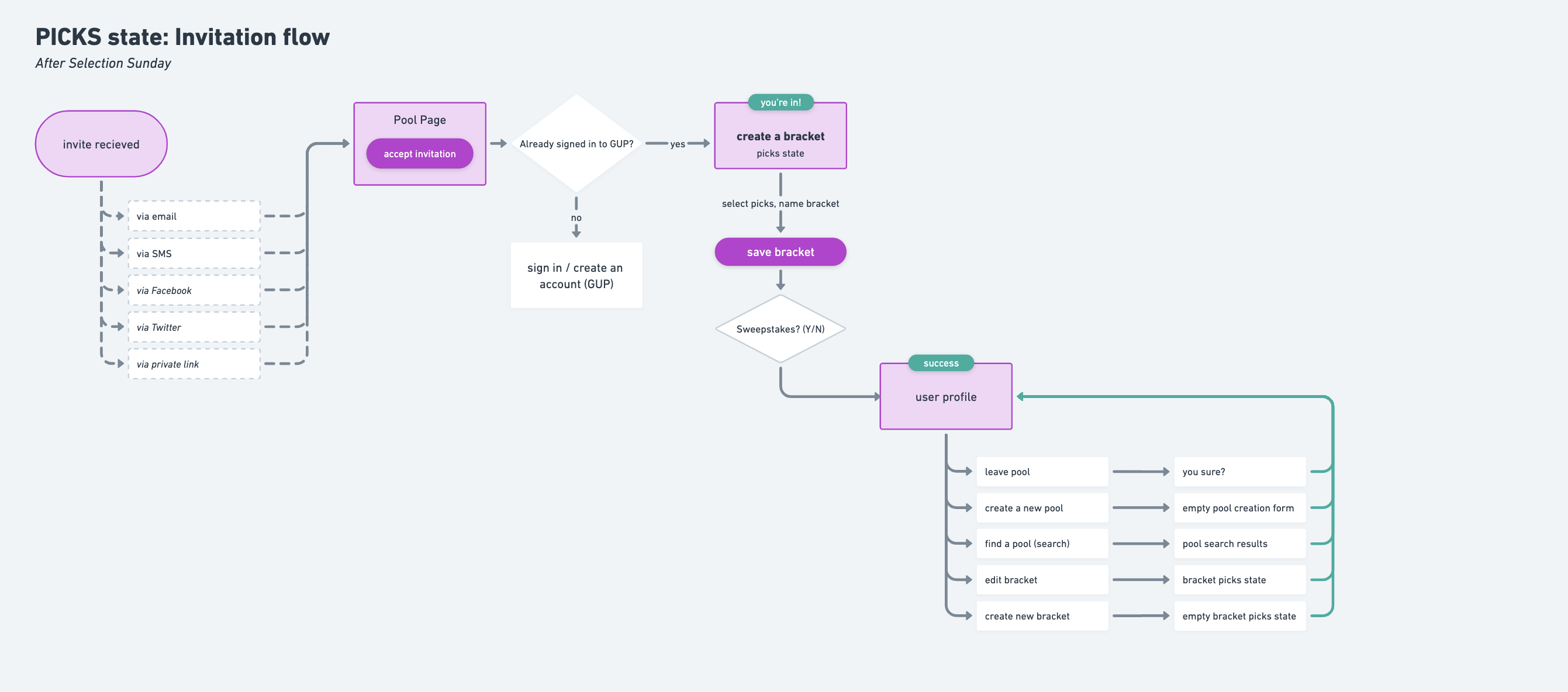
From here, we could identify the detailed passage and individual actions each user would need to take to complete a successful journey. There are three main processes in a typical bracket challenge: invitation, creation, and review. We also wanted users to be able to create private pools to invite their friends, and needed to account for pre-tournament vs. live-tournament differences, so those variables were considered in the user flows as well.
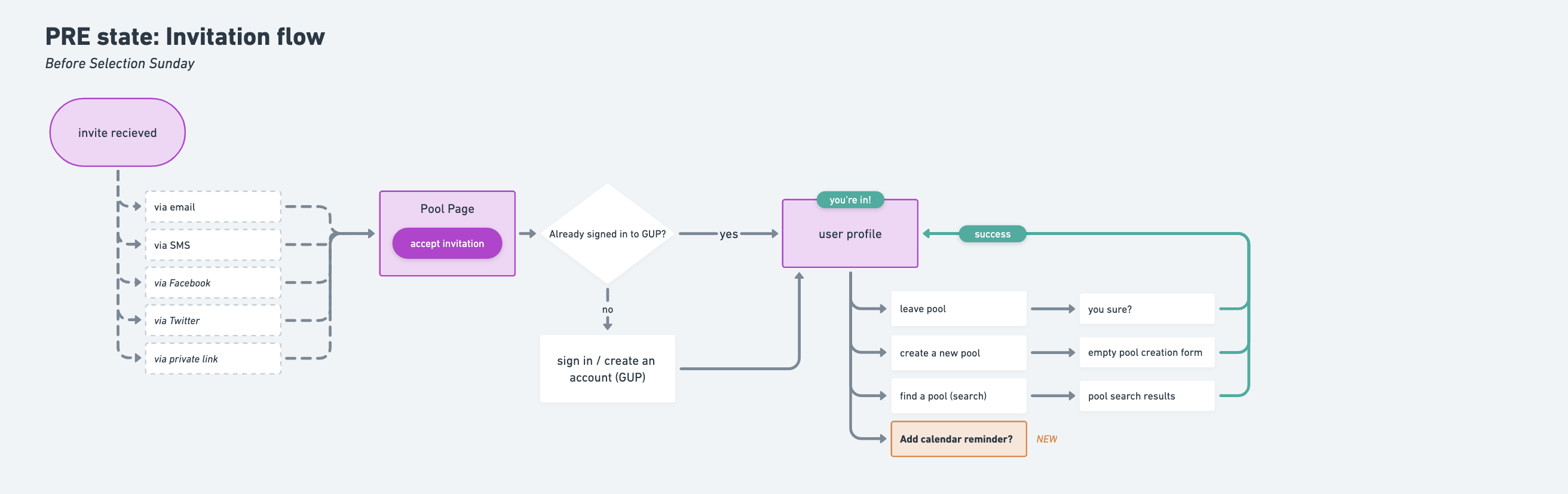
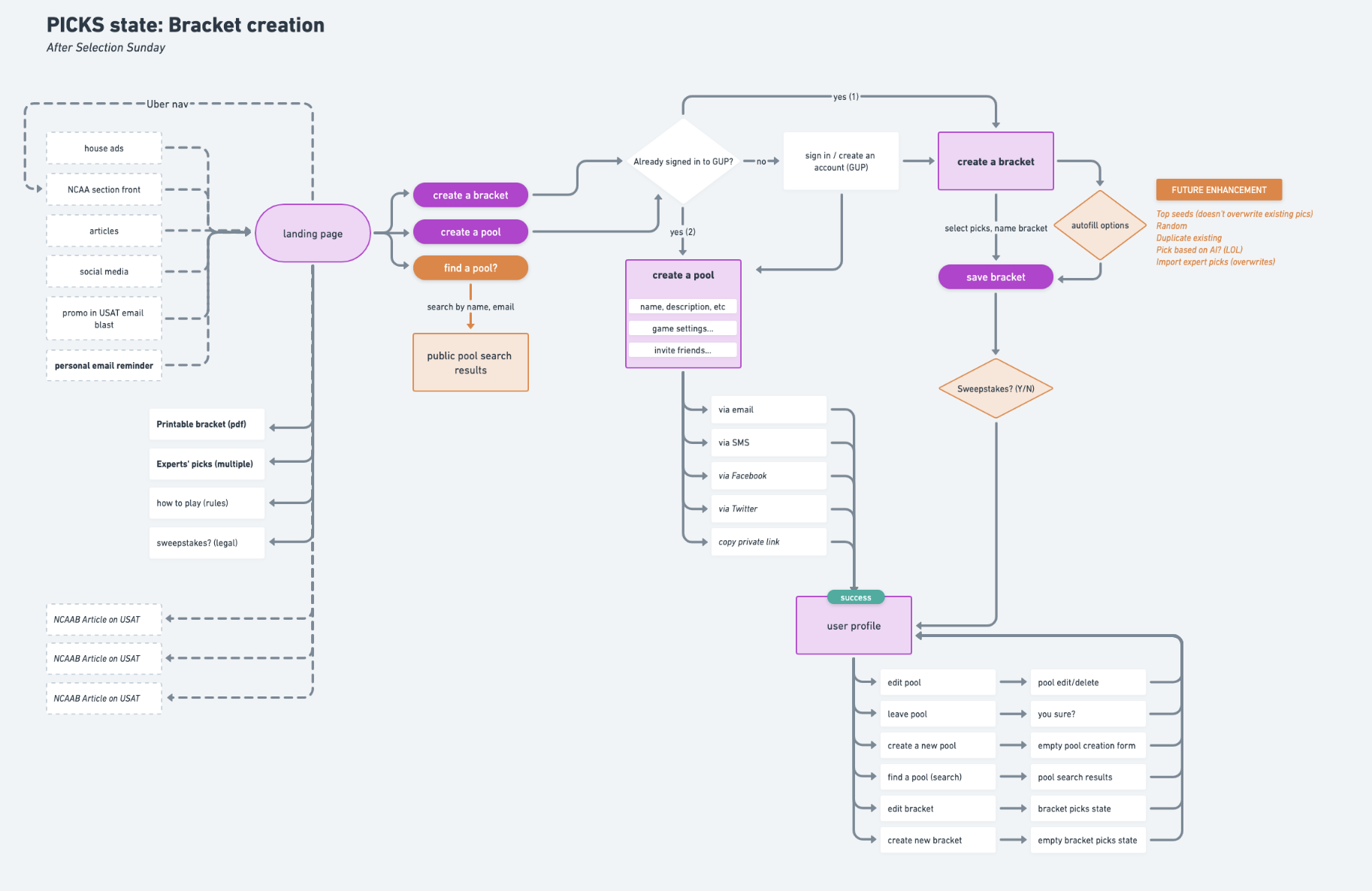
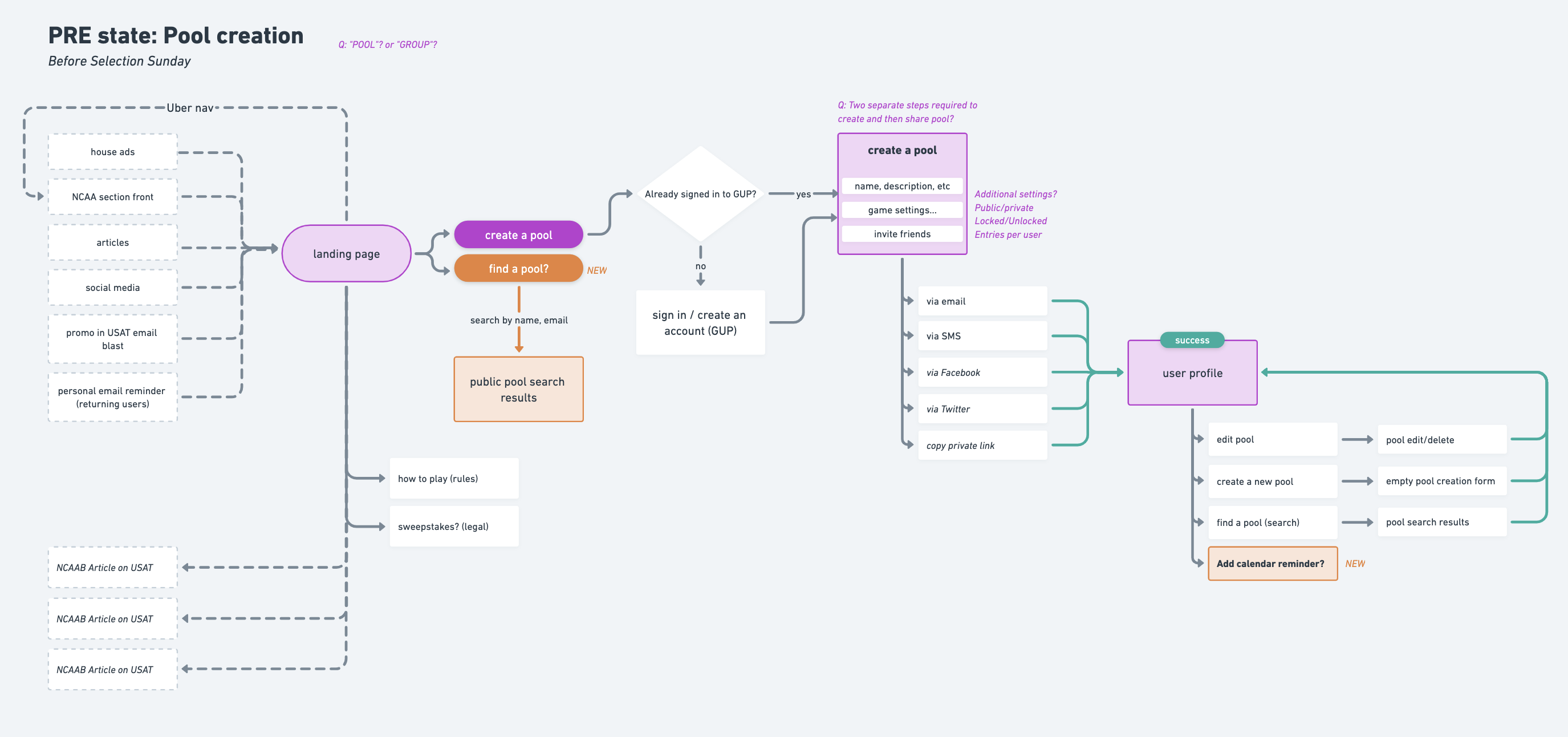
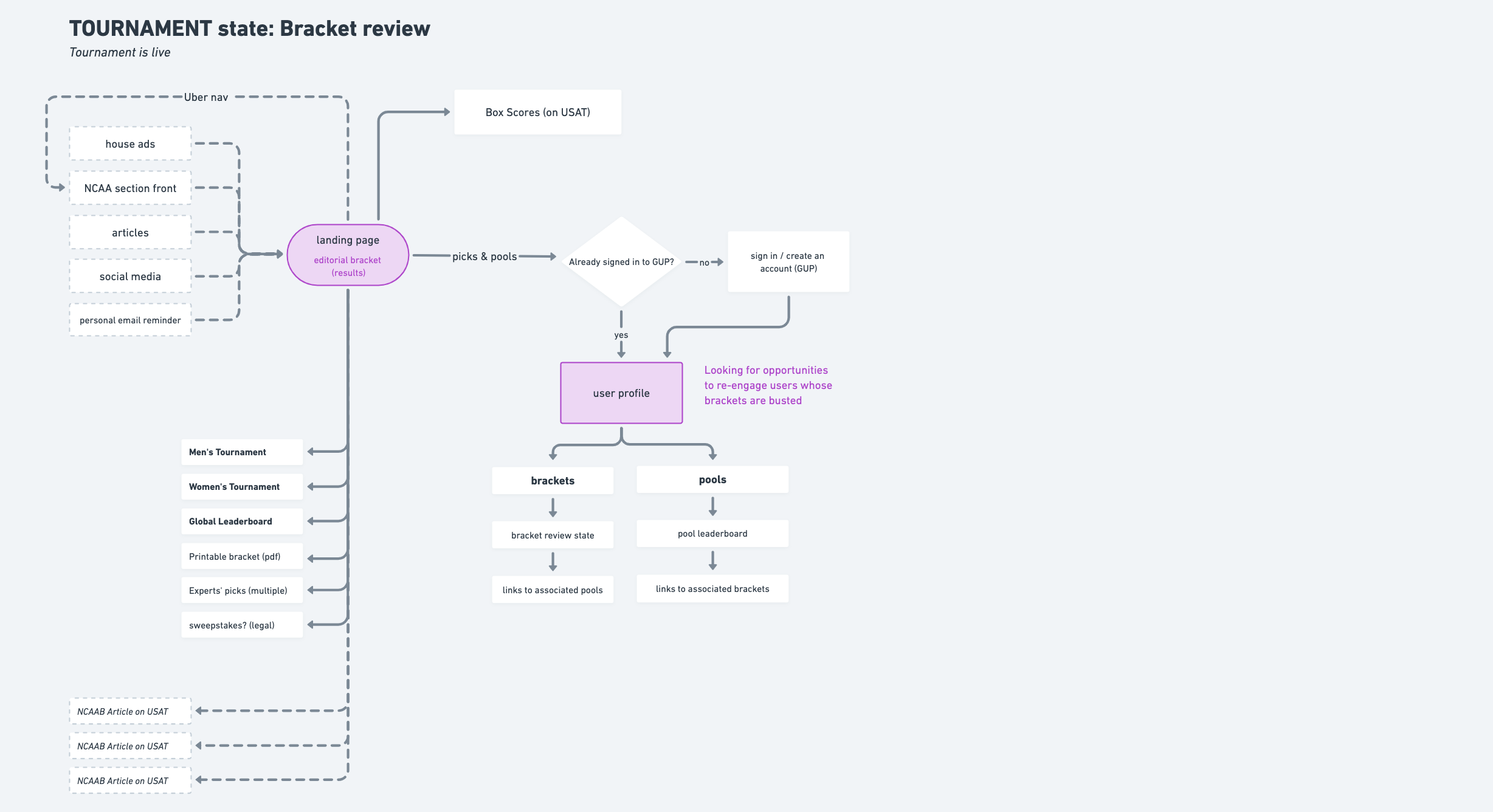
Then came time to create the different mobile screens for this flow to detail what the UI would look like at each stage of the process. This was largely a team effort, as there were many different stages to be defined for. We created mobile specs for the main bracket UI to include in this process.
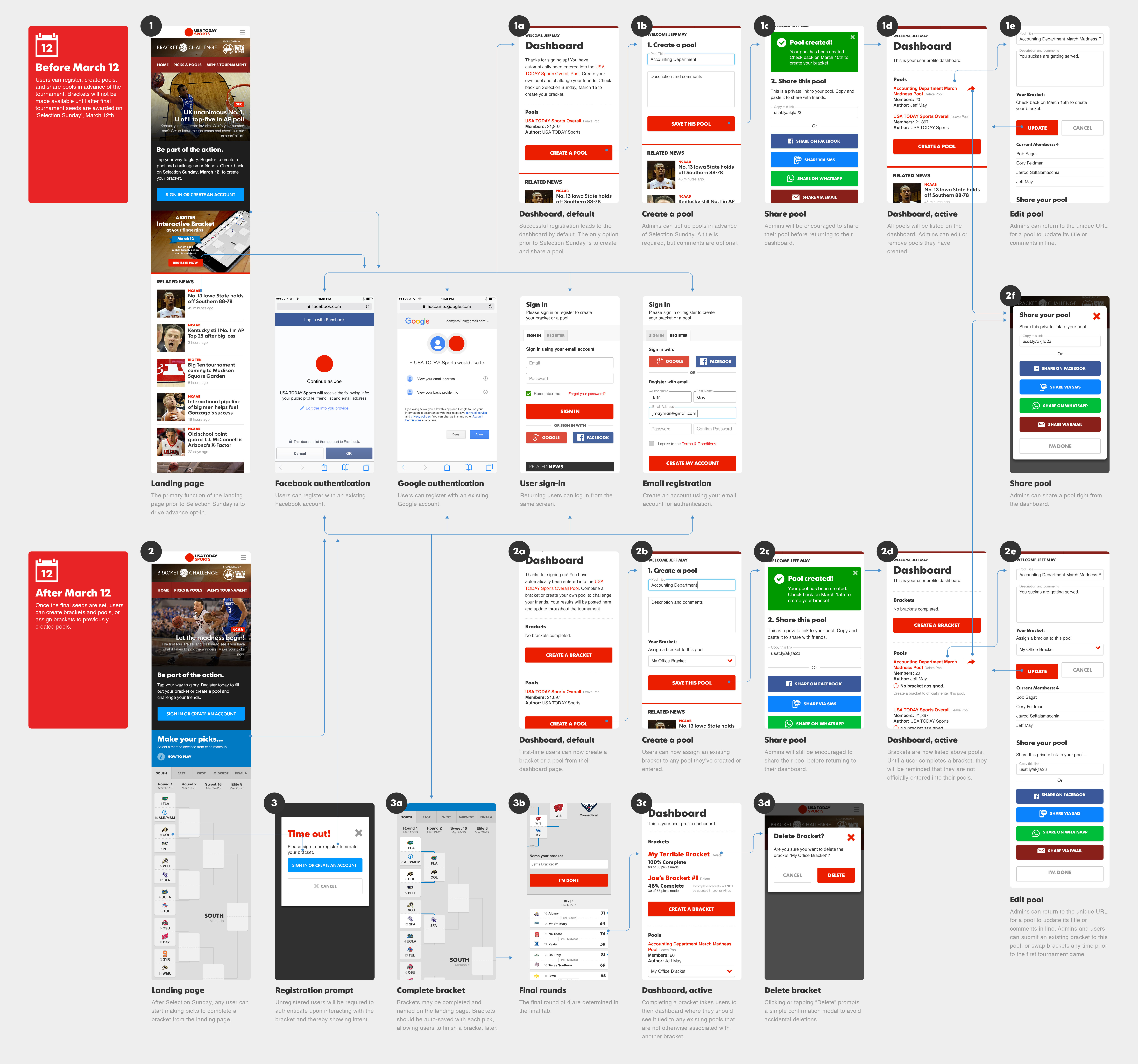
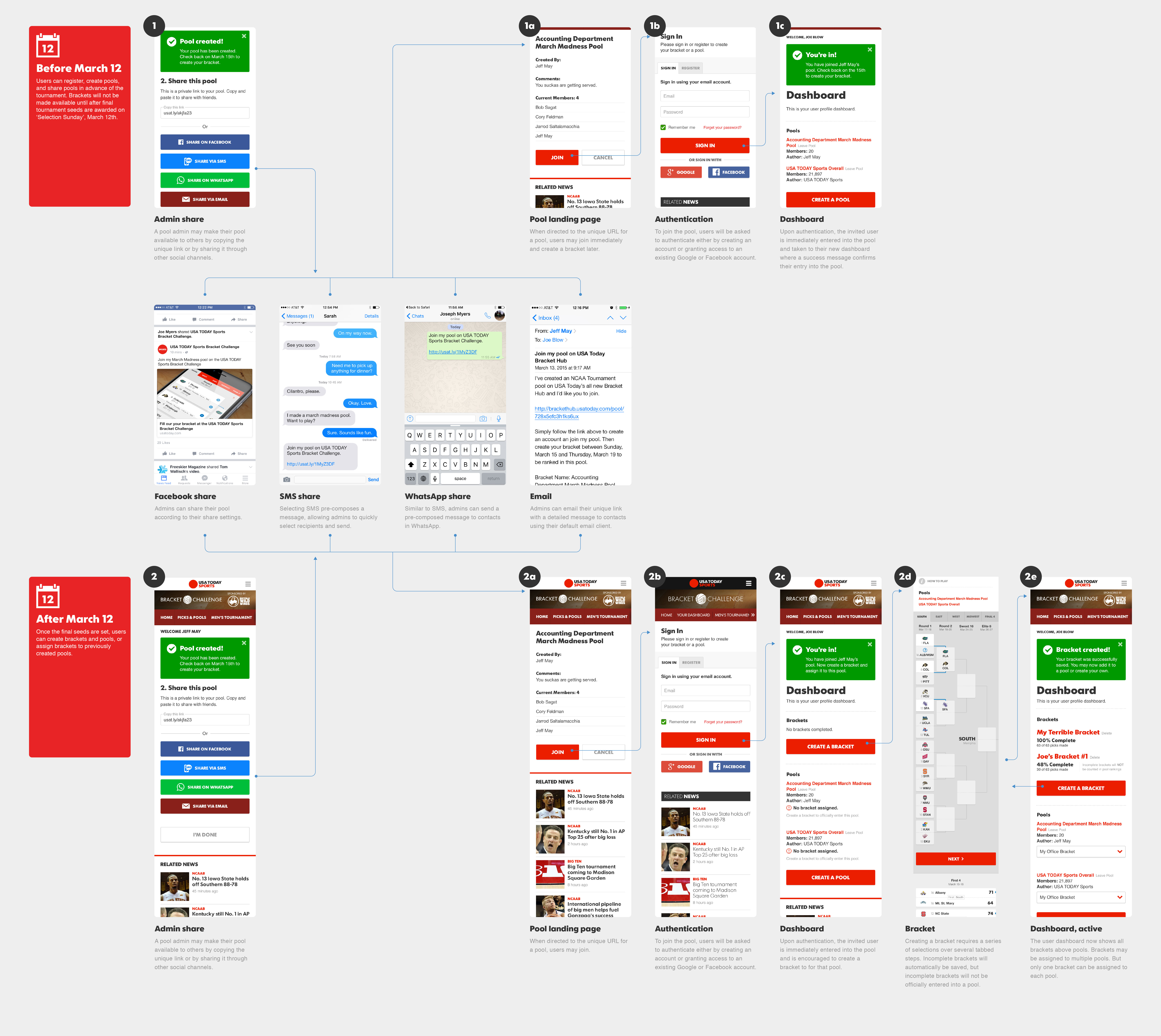
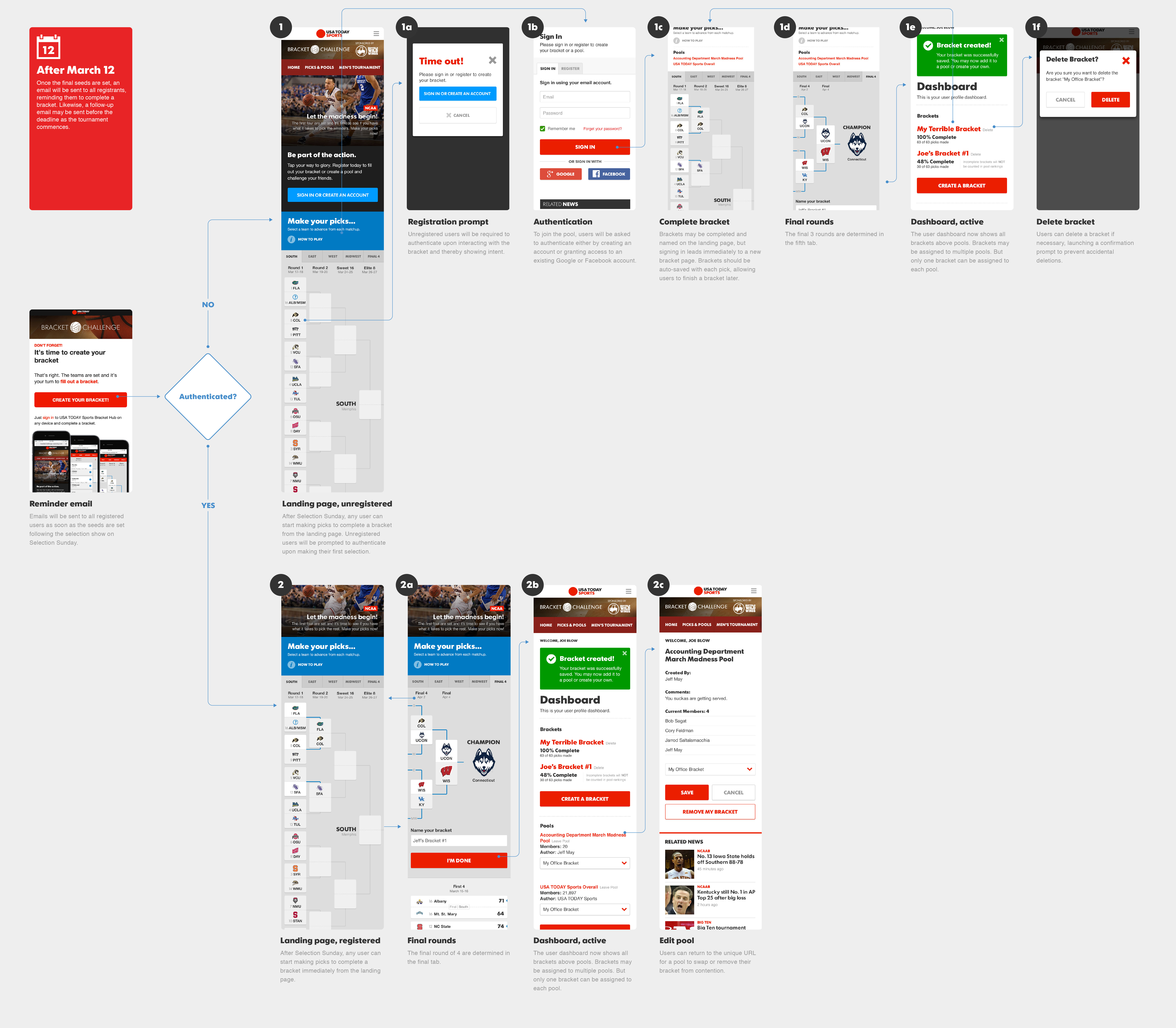
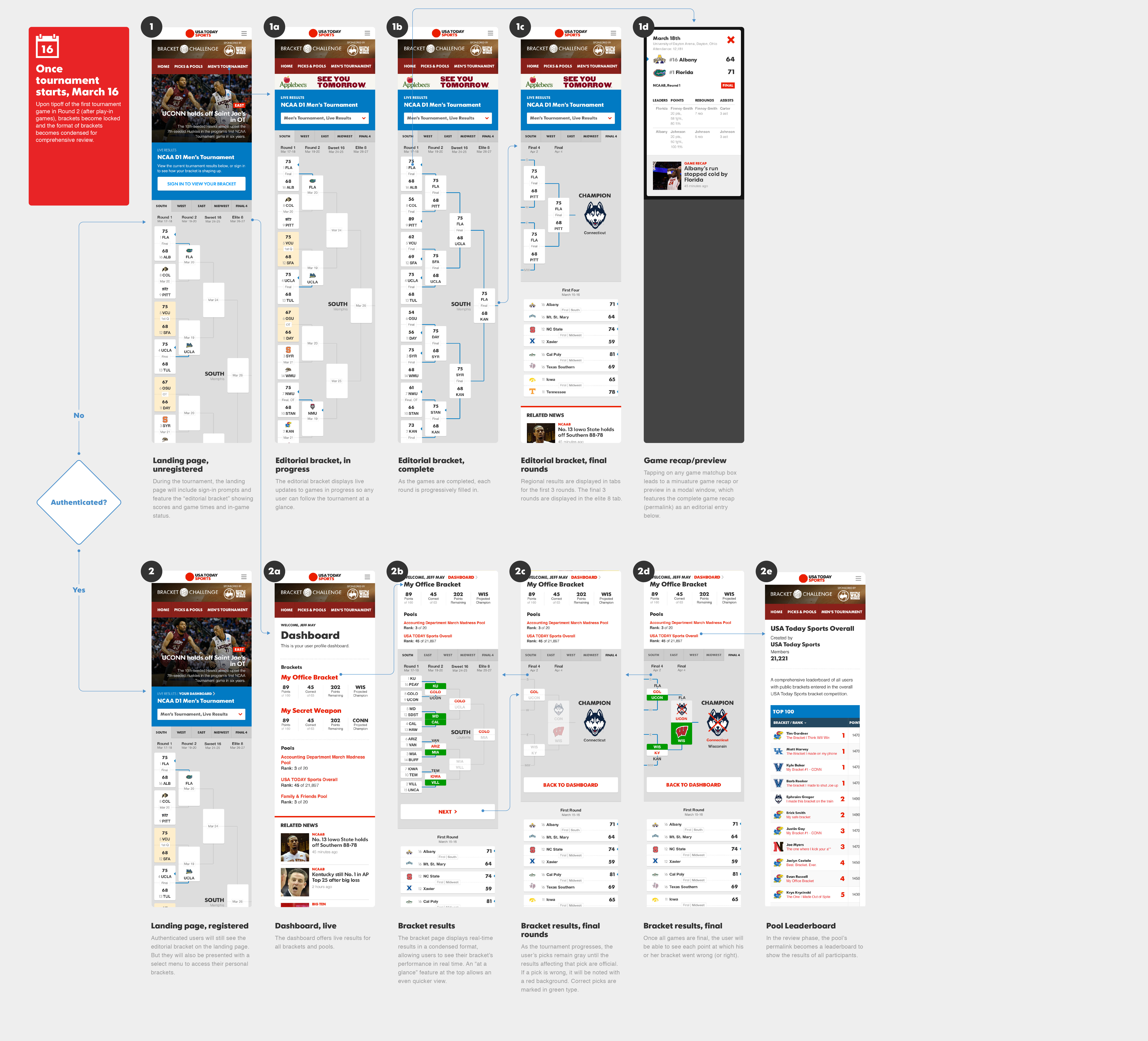
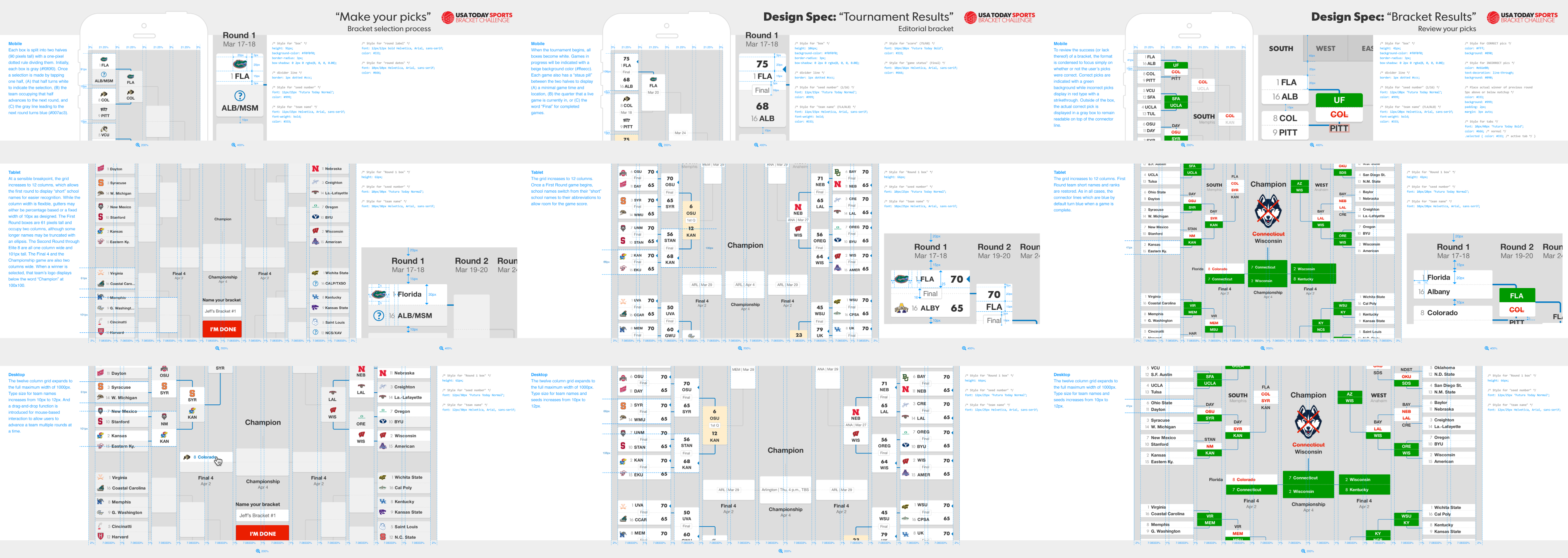
Through the stages of this process, we were able to successfully translate business decisions and complex user requirements into an intuitive and thoughtfully designed free-to-play March Madness bracket challenge!
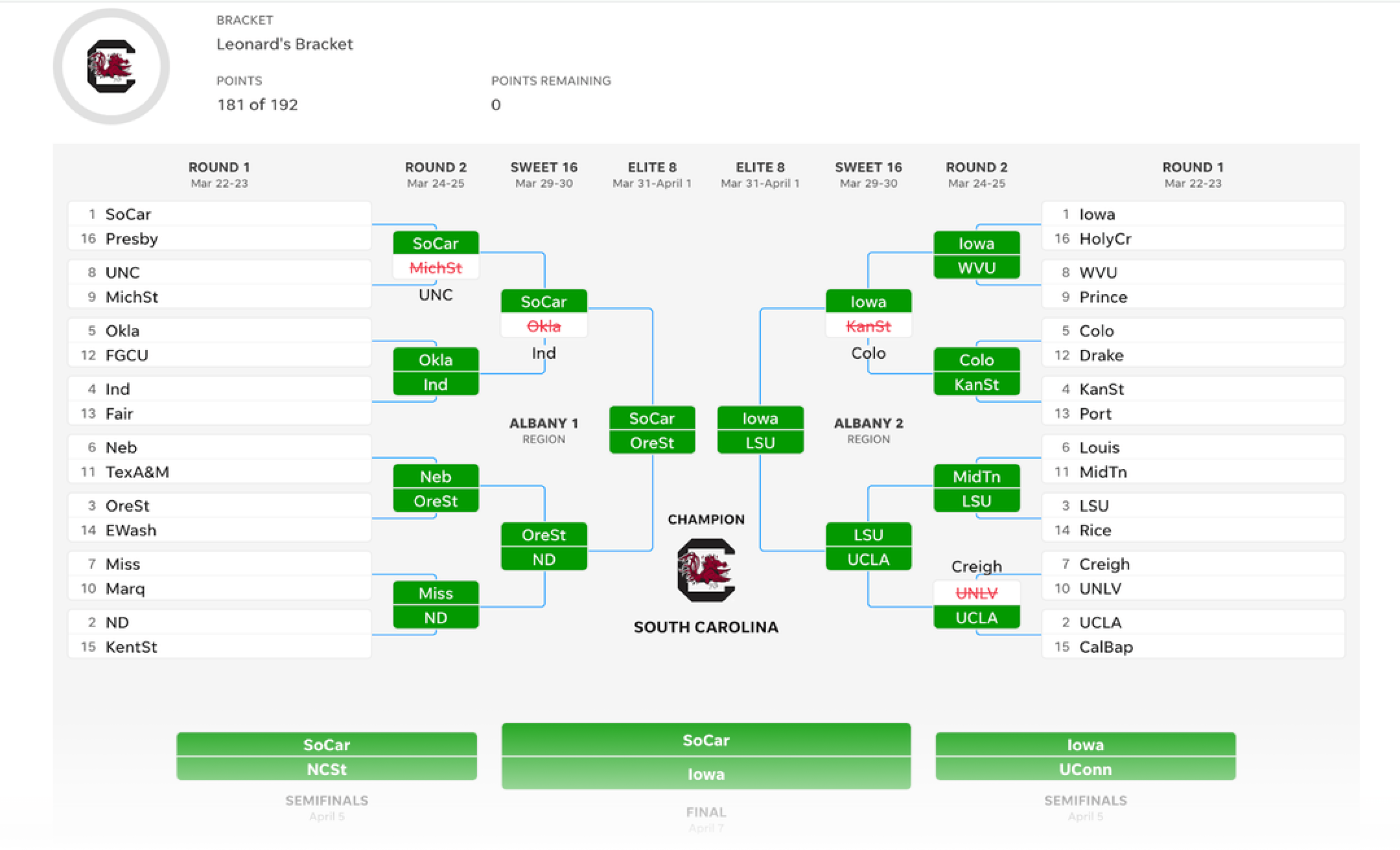
Desktop experience
Re-upped mockups for the initial landing page and bracket creation screens.
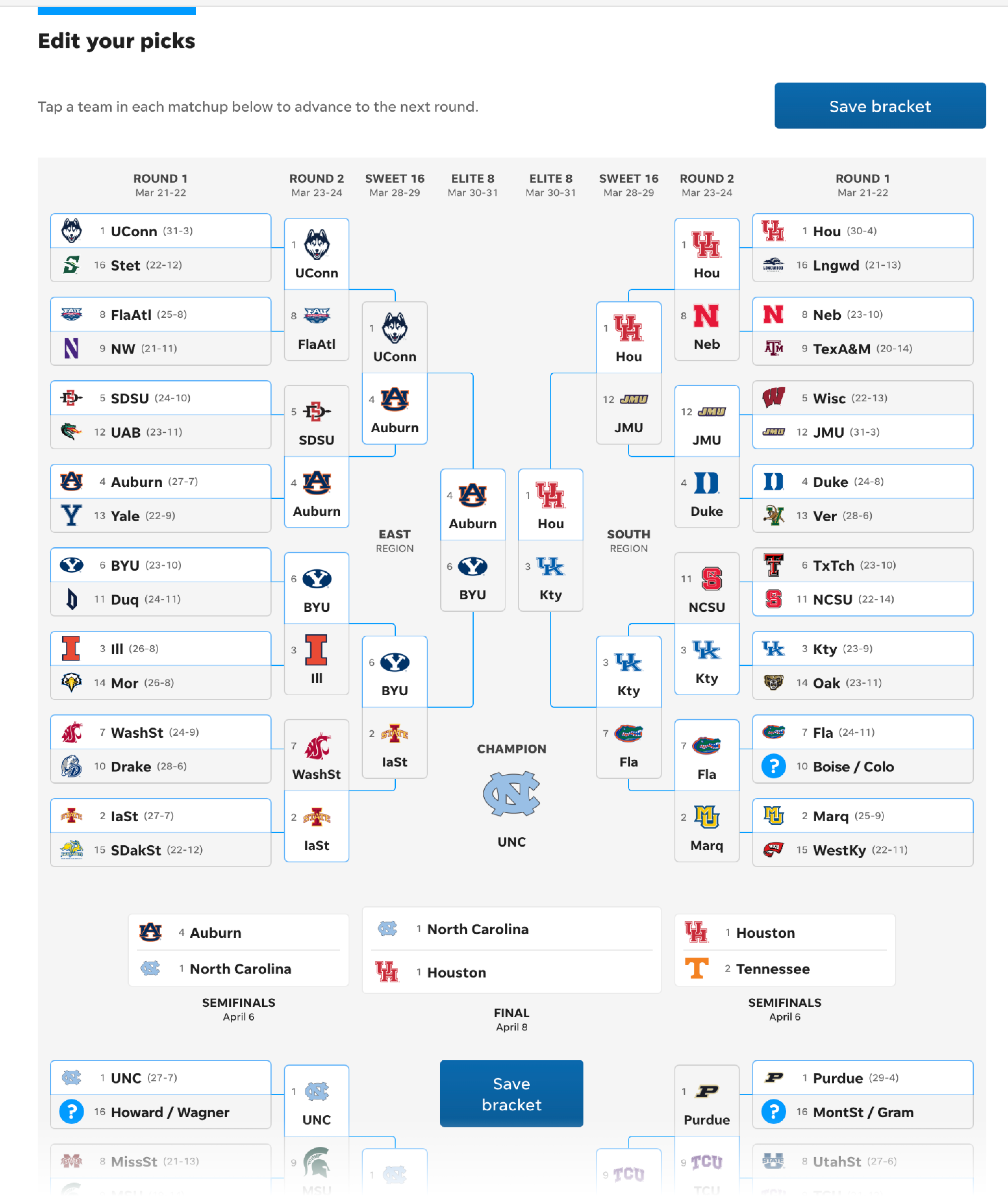
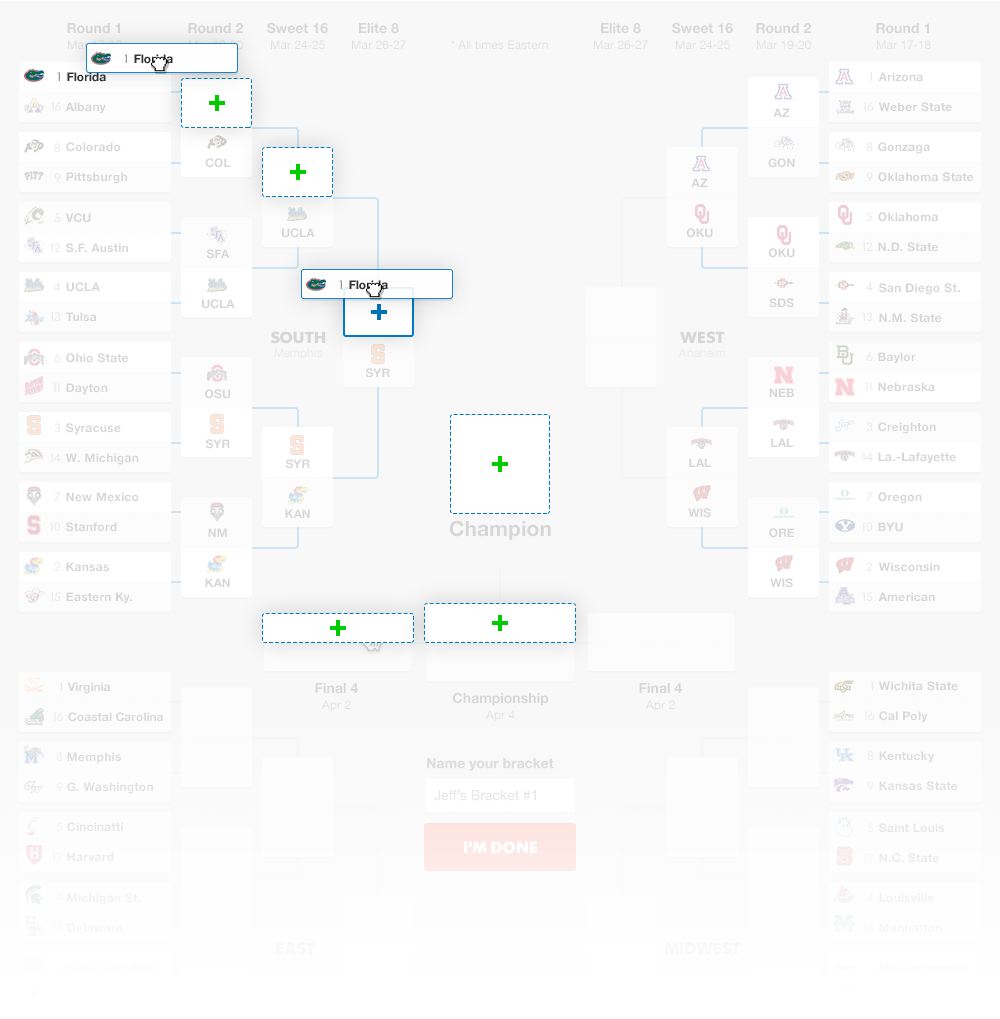
Drag and drop picks
A special desktop enhancement, users can drag and drop their picks to advance multiple rounds. The available targets are highlighted to show that team's possible path to the championship.